⚙️ System Configuration
note
The System Configuration settings in C360 allow administrators to manage and customize email notifications.
To access System Configuration:
➡️ Go to Settings → System Configuration from the Top Bar.
📨 Notification Content
note
The Notification Content section lets you configure the subject lines and email templates used for system notifications.
To access:
➡️ Go to System Configuration → Notification Content
The data table includes the following columns:
Click to see columns available in data table
- Notification → Displays the event or activity triggering the notification.
- Subject Line → Defines the subject of the email that will be sent.
- Actions → Provides options to edit the email content.
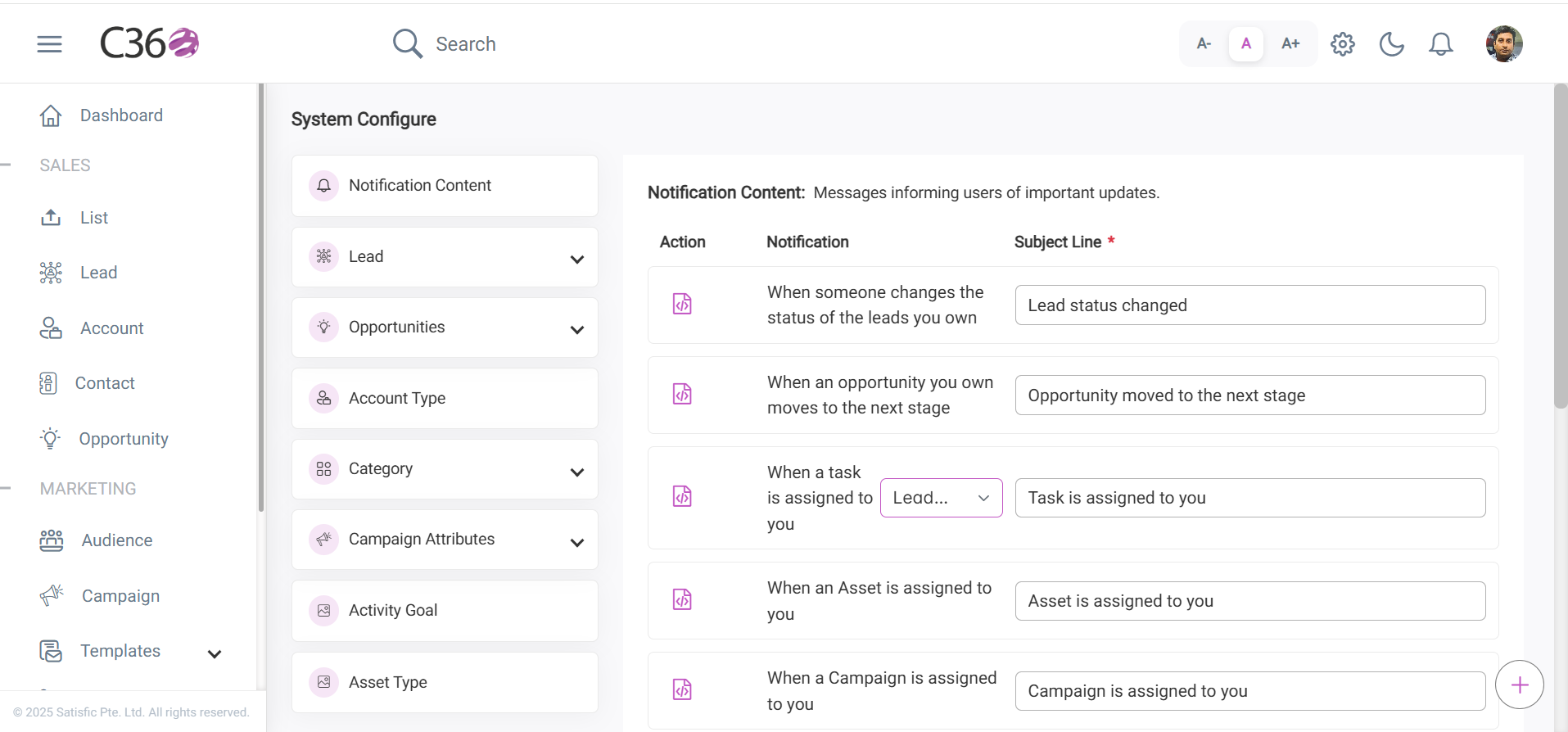
✏️ Update Subject Line
Steps to modify subject line of a notification
- Click on the Subject Line field in the table.
- Enter the updated subject text.
- Press Enter or click outside the field to save changes.
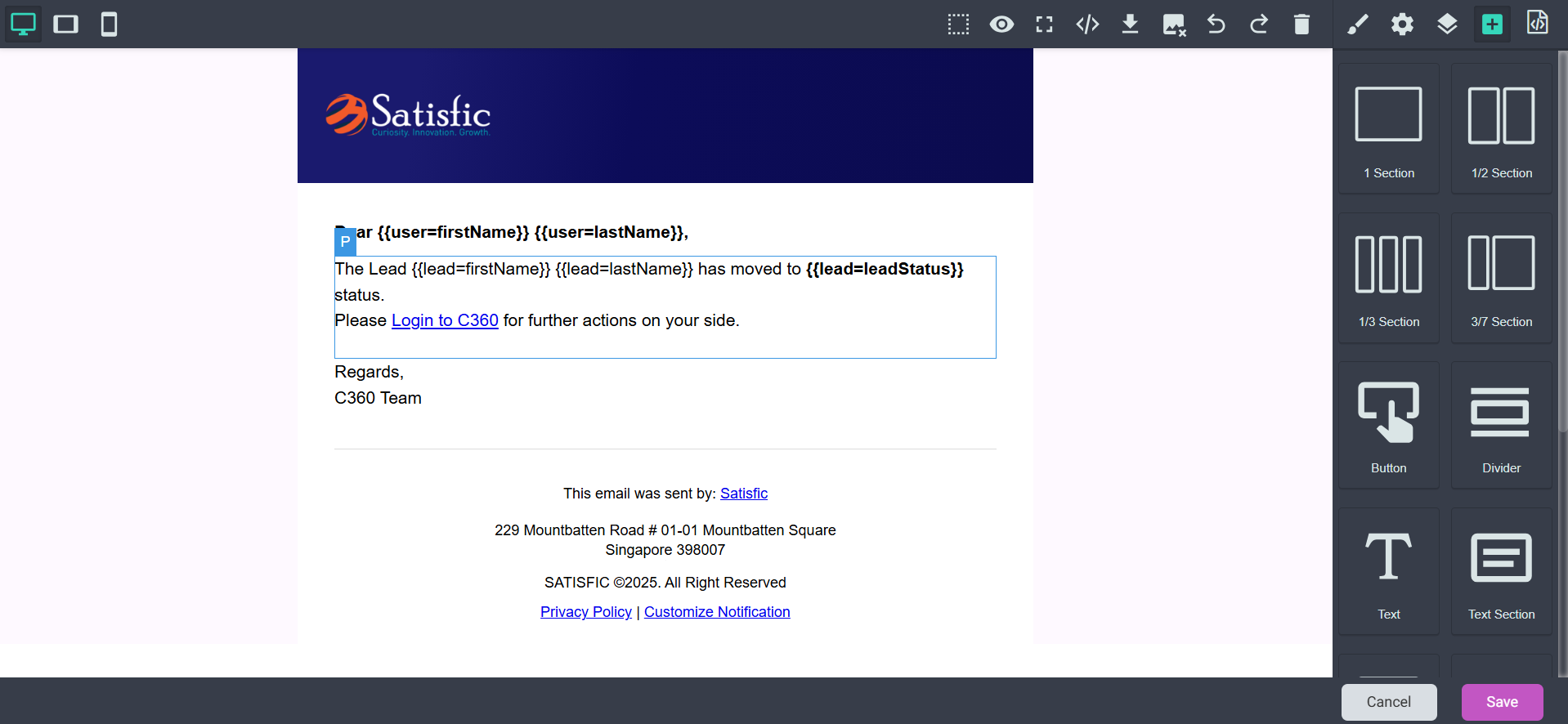
🖋️ Edit Email Content
Steps to update the email content
- In the Actions column, click the Edit icon for the relevant notification.
- You will be redirected to the Email Design Page.
- Update the email template as needed.
- Click Save to apply changes, or Cancel to discard them.