🧲 Lead
To access Lead:
➡️ Go to Settings → System Configuration → Lead from the Top Bar.
📊 Lead Score
Lead scoring ranks potential customers based on their engagement and interest, helping sales teams prioritize the most promising leads.
Click to view Formula for Total Lead Score (TLS):
TLS = (MRS × MRW) + (LSS × LSW) + (LStS × LStW)
Where:
- MRS – Marketing Response Score
- MRW – Marketing Response Weightage
- LSS – Lead Status Score
- LSW – Lead Status Weightage
- LStS – Lead Stage Score
- LStW – Lead Stage Weightage
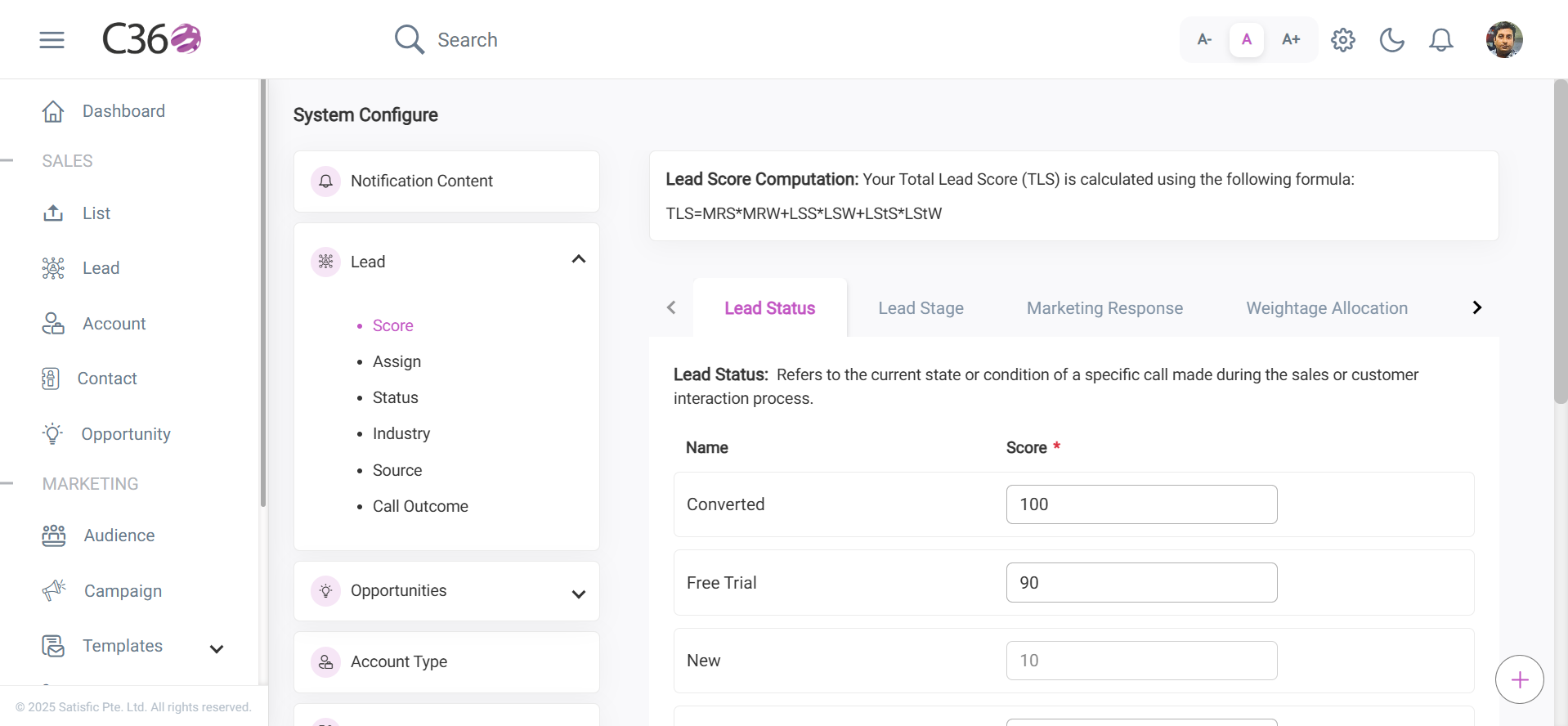
🟢 1. Lead Status
Represents the current state of a lead in the sales process. Each status reflects how engaged or interested a lead is.
➡️ You can add, delete, or modify lead statuses as needed, and update their scores.
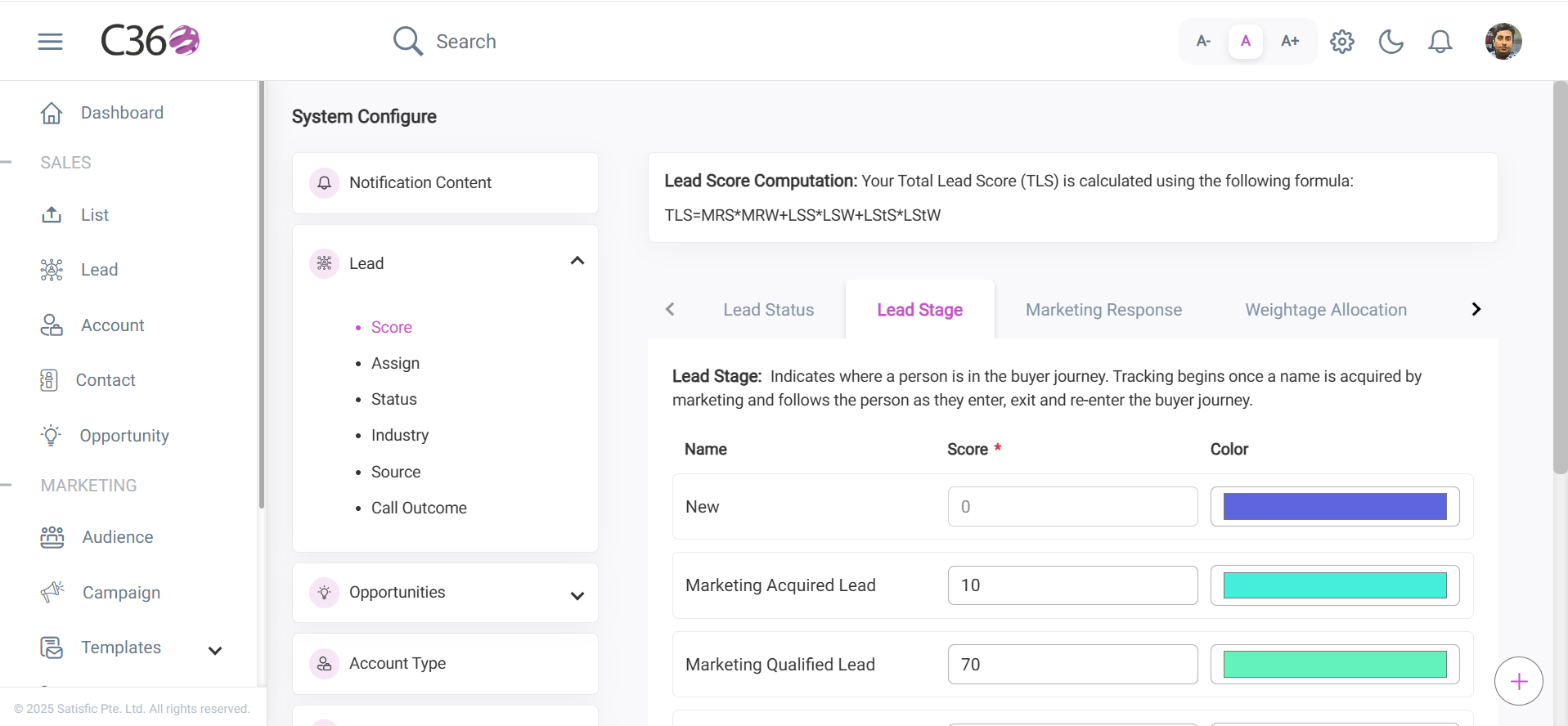
🟣 2. Lead Stage
Shows where a lead is in the buyer journey — from acquisition by marketing to qualification and handoff to sales.
➡️ Update scores, assign color indicators, and save changes.
➡️ Color indicators are reflected in the Lead List table.
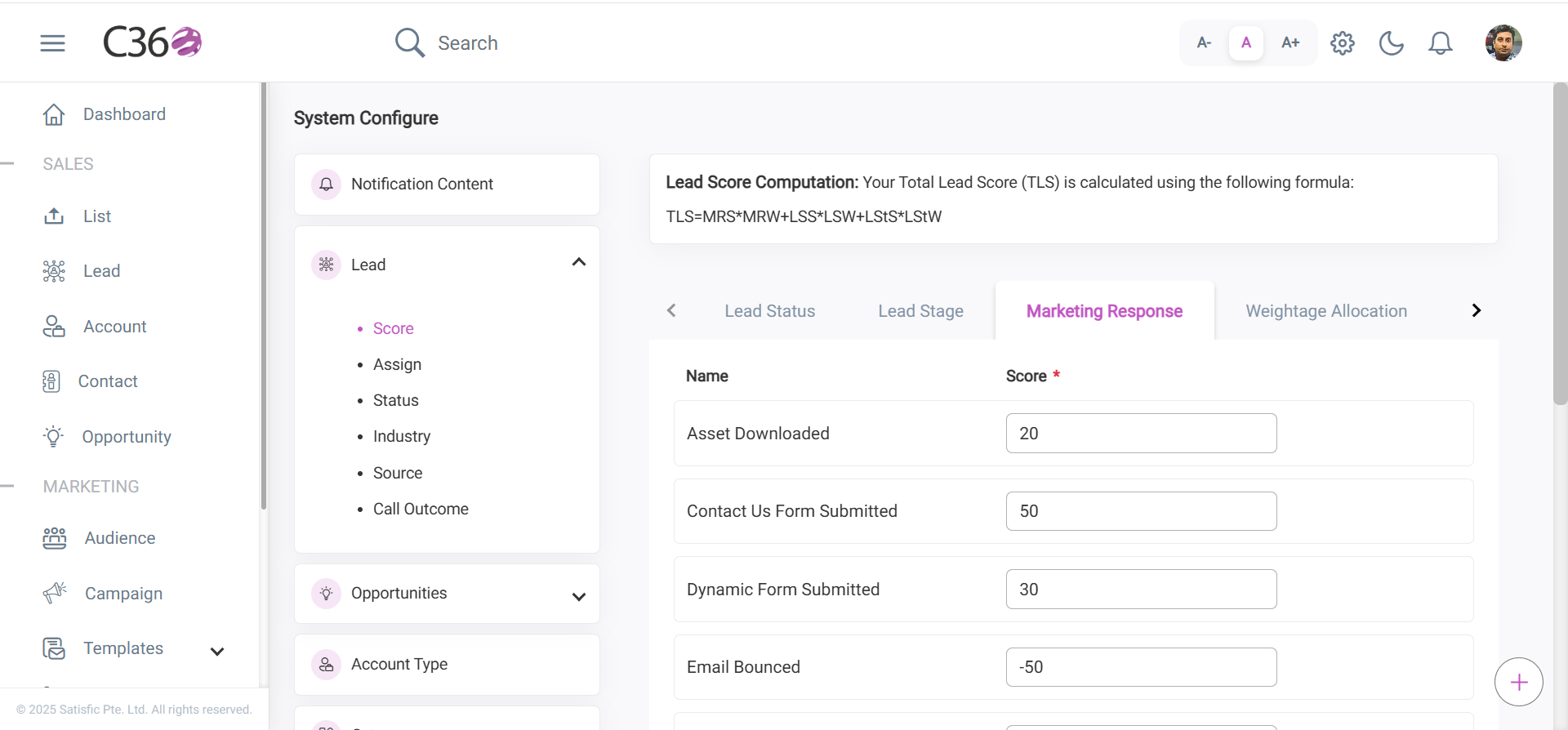
📧 3. Marketing Response
Measures how engaged a lead is with marketing activities.
You can manage and update scores for activities such as:
- Asset Download
- Contact Us Form Submission
- Dynamic Form Submission
- Email Bounced
- Email Link Clicked
- Email Marked Spam
- Email Opened
- Landing Page Visits
- Unsubscribe Link Clicked
- View in Browser Clicked
➡️ Updated scores are reflected in the Lead Score column of the leads data table.
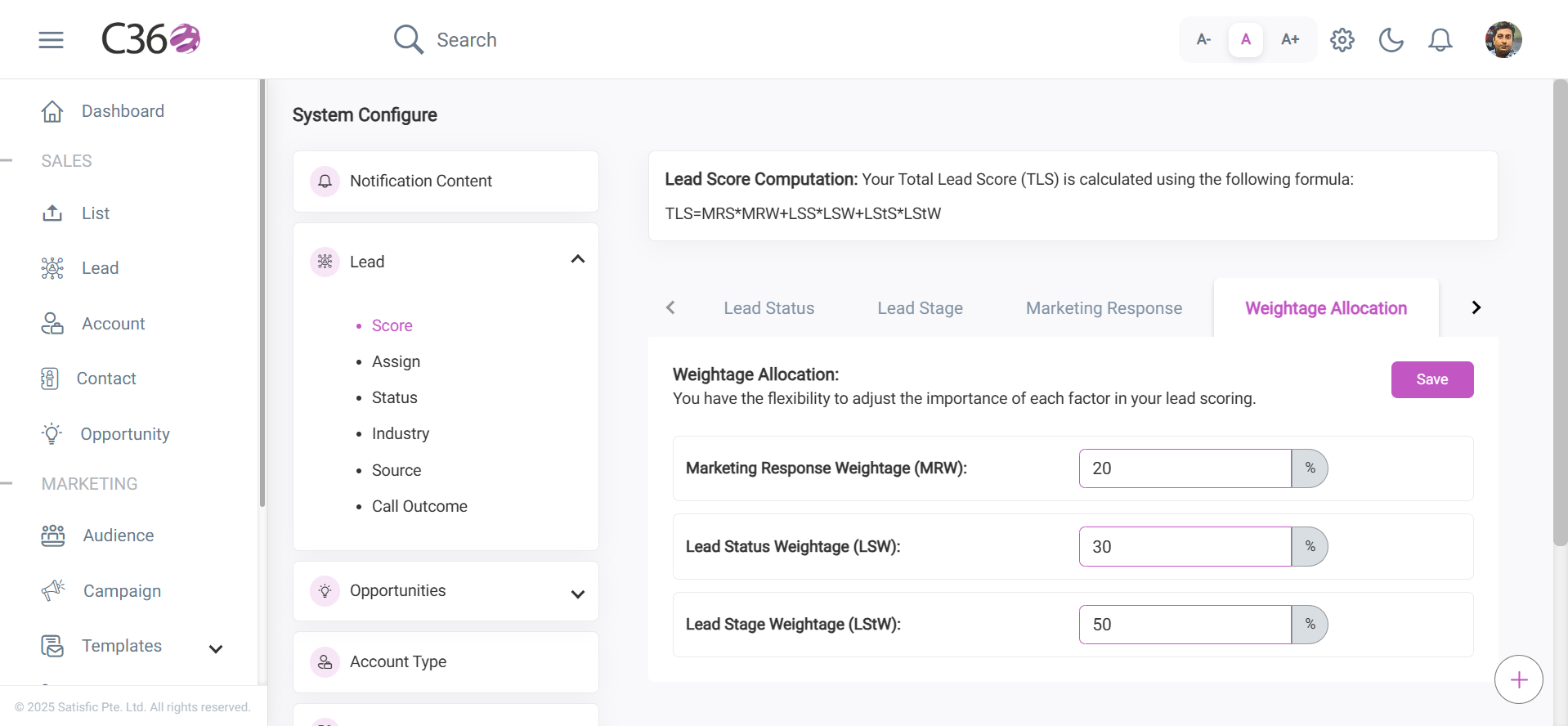
⚖️ 4. Weight Allocation
Adjust the weightage of each scoring factor as required. Update the percentage values and save changes.
- Marketing Response Weightage (MRW)
- Lead Status Weightage (LSW)
- Lead Stage Weightage (LStW)
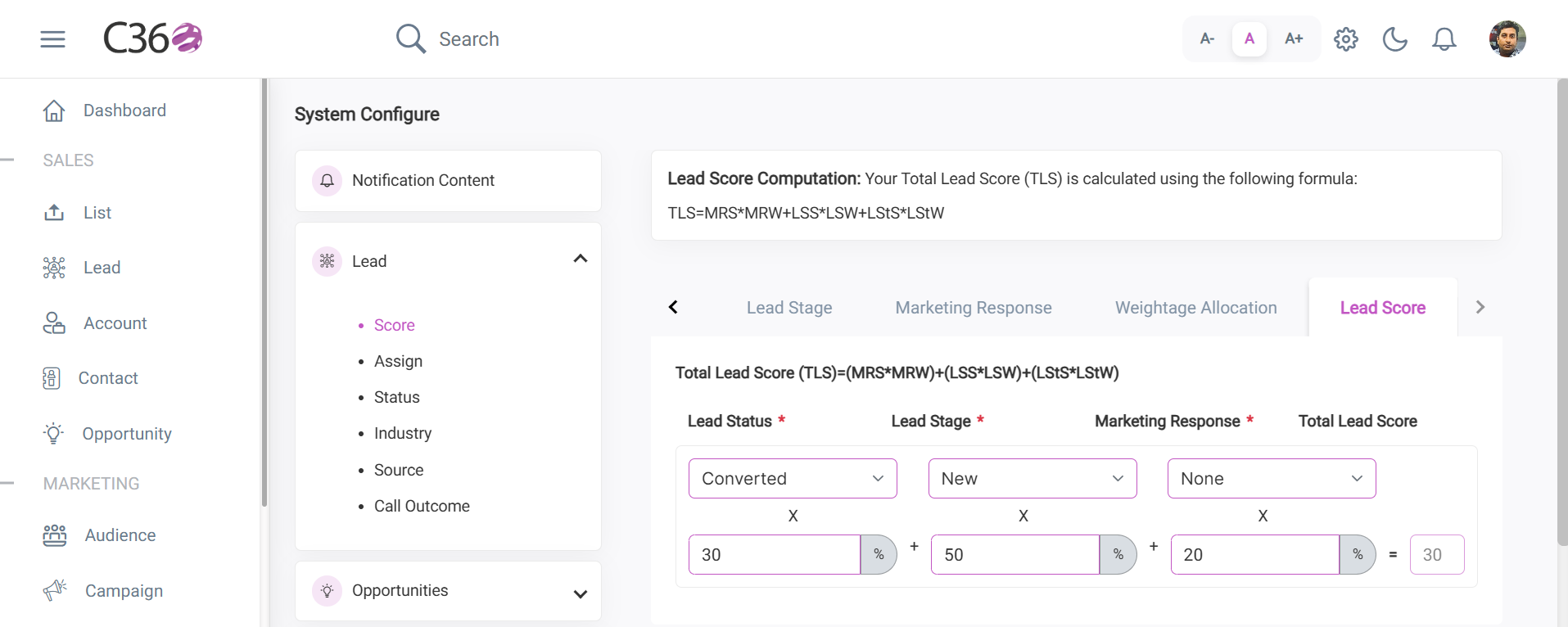
🧮 5. Lead Score
View the Total Lead Score (TLS) dynamically based on selected Lead Status, Lead Stage, and Marketing Response.
👥 Lead Assign
The Lead Assign section contains two modes:
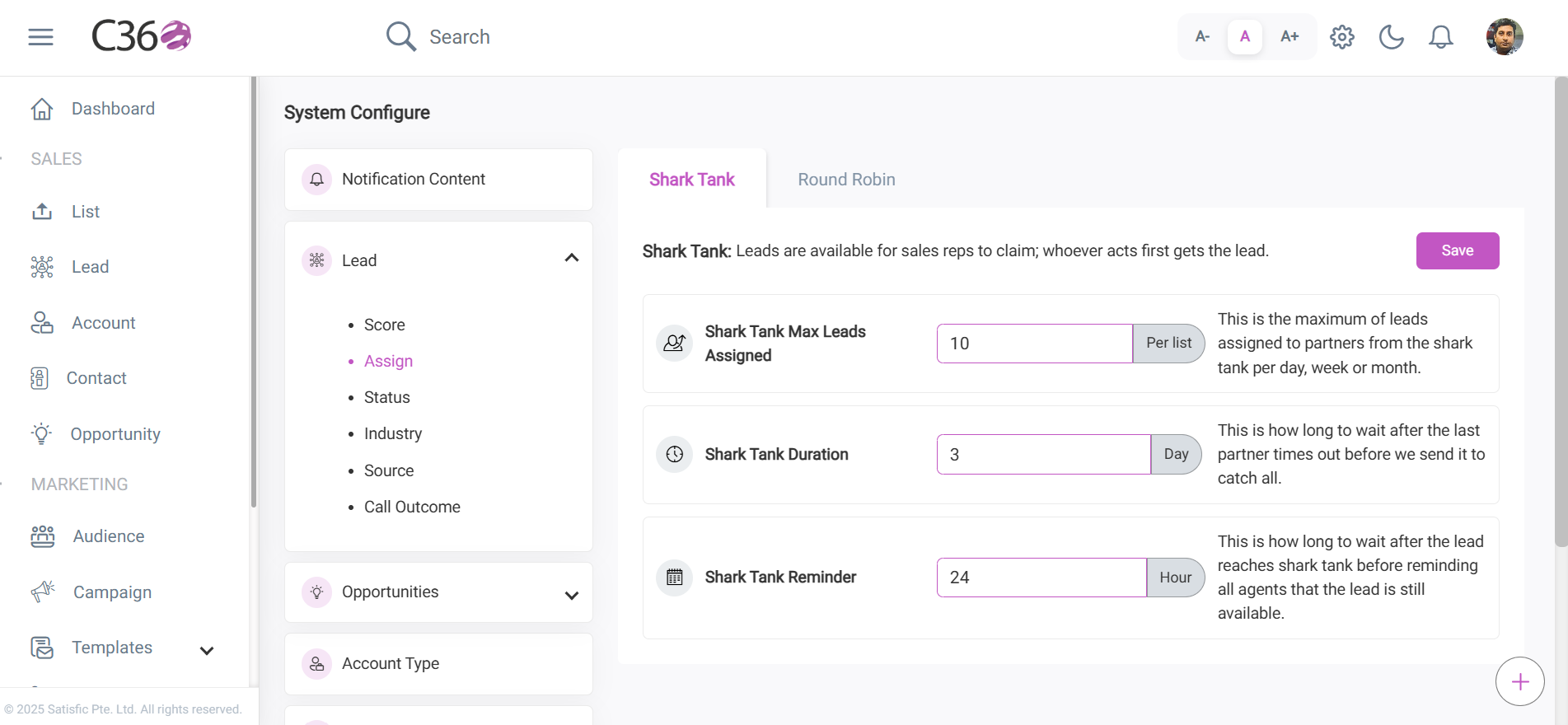
- 🦈 Shark Tank
- 🔄 Round Robin
- Shark Tank Max Leads Assign 📌
- Shark Tank Duration ⏱️
- Shark Tank Reminder 🔔
- Round Robin Duration ⏱️
- Round Robin Reminder 🔔
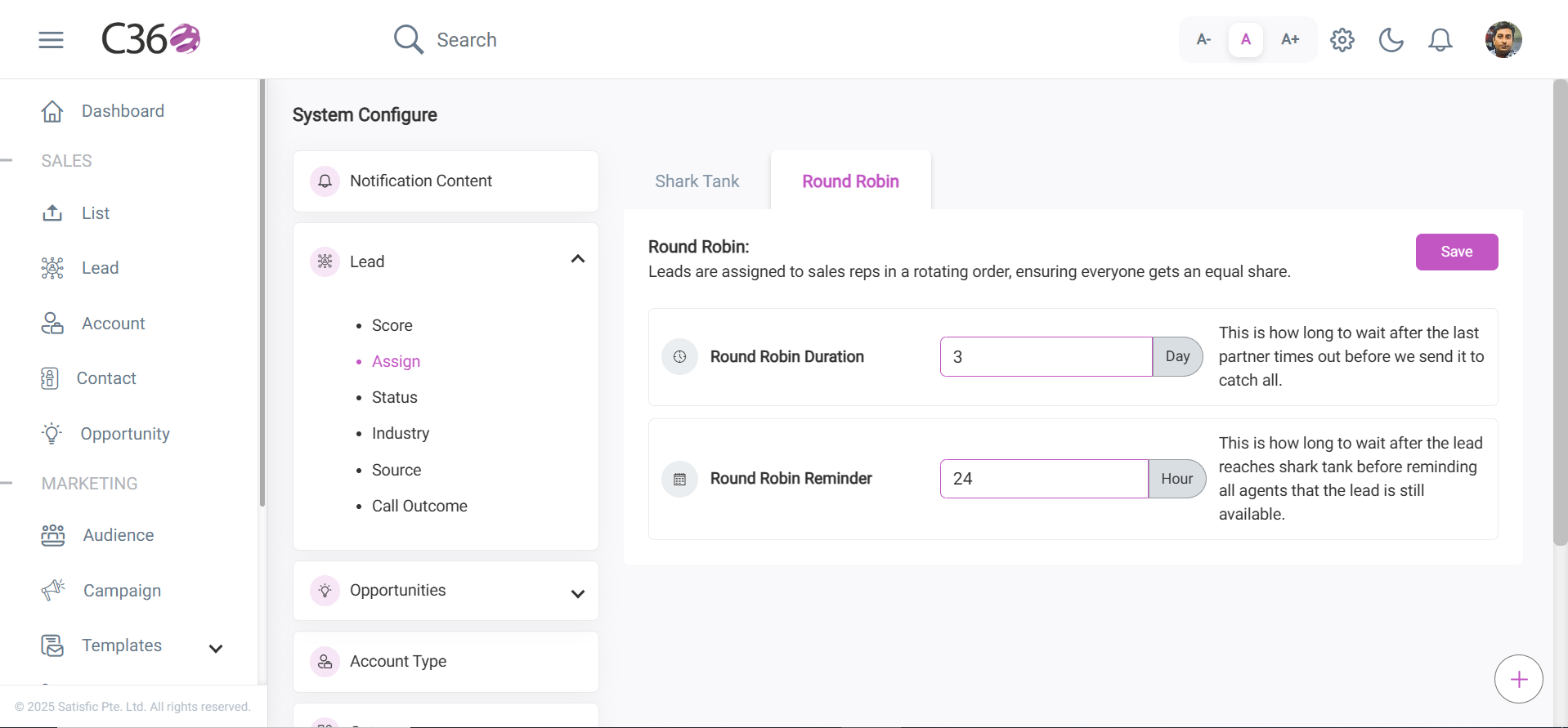
➡️ After entering values, click Update to save and apply the changes.
--
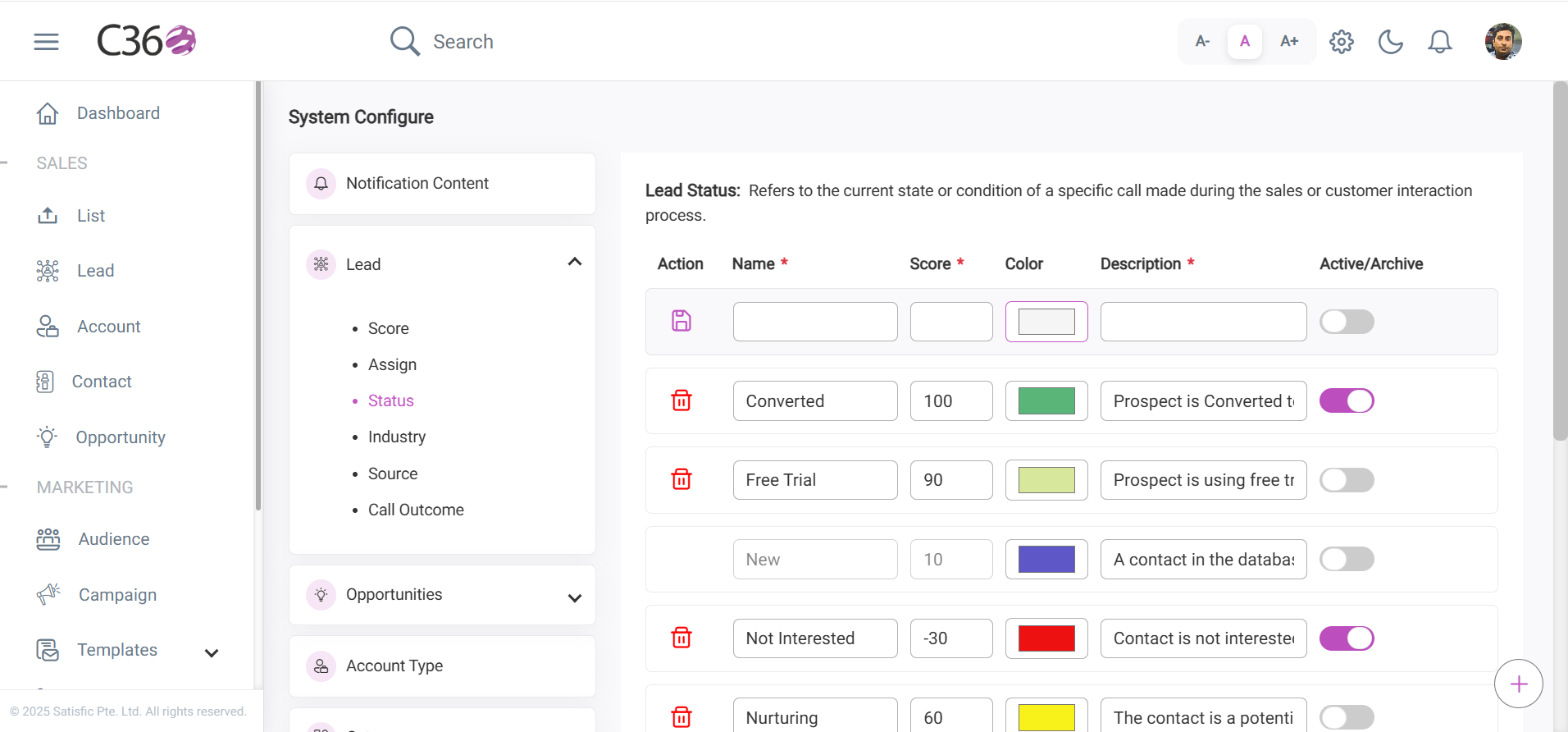
🟢 Lead Status
Defines the current state of a lead or customer interaction in the sales process.
Fields:
- Name – Title of the lead status .
- Score – Numeric value indicating priority/quality.
- Color – Visual indicator for quick identification.
- Description – Explanation of the status meaning.
- Active/Archive (Toggle) – Mark as active or archive.
Actions:
- 💾 Save
- 🗑️ Delete
Click Save to store the entry after filling in all details.
Click the Delete icon to remove a saved entry.
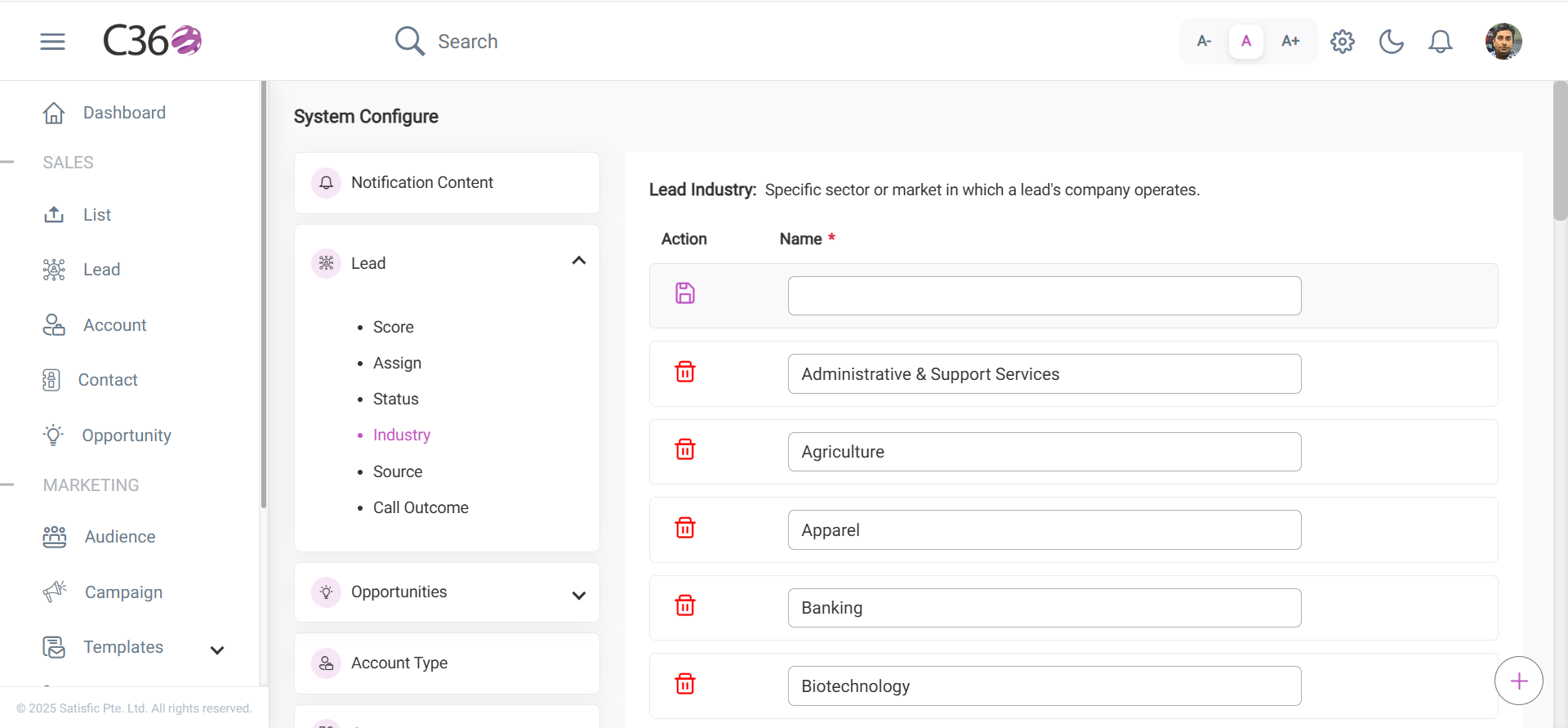
🏭 Lead Industry
Represents the industry in which the lead’s company operates.
Fields:
- Name – Industry label
Actions:
- 💾 Save
- 🗑️ Delete
Click Save to store the entry after filling in all details.
Click the Delete icon to remove a saved entry.
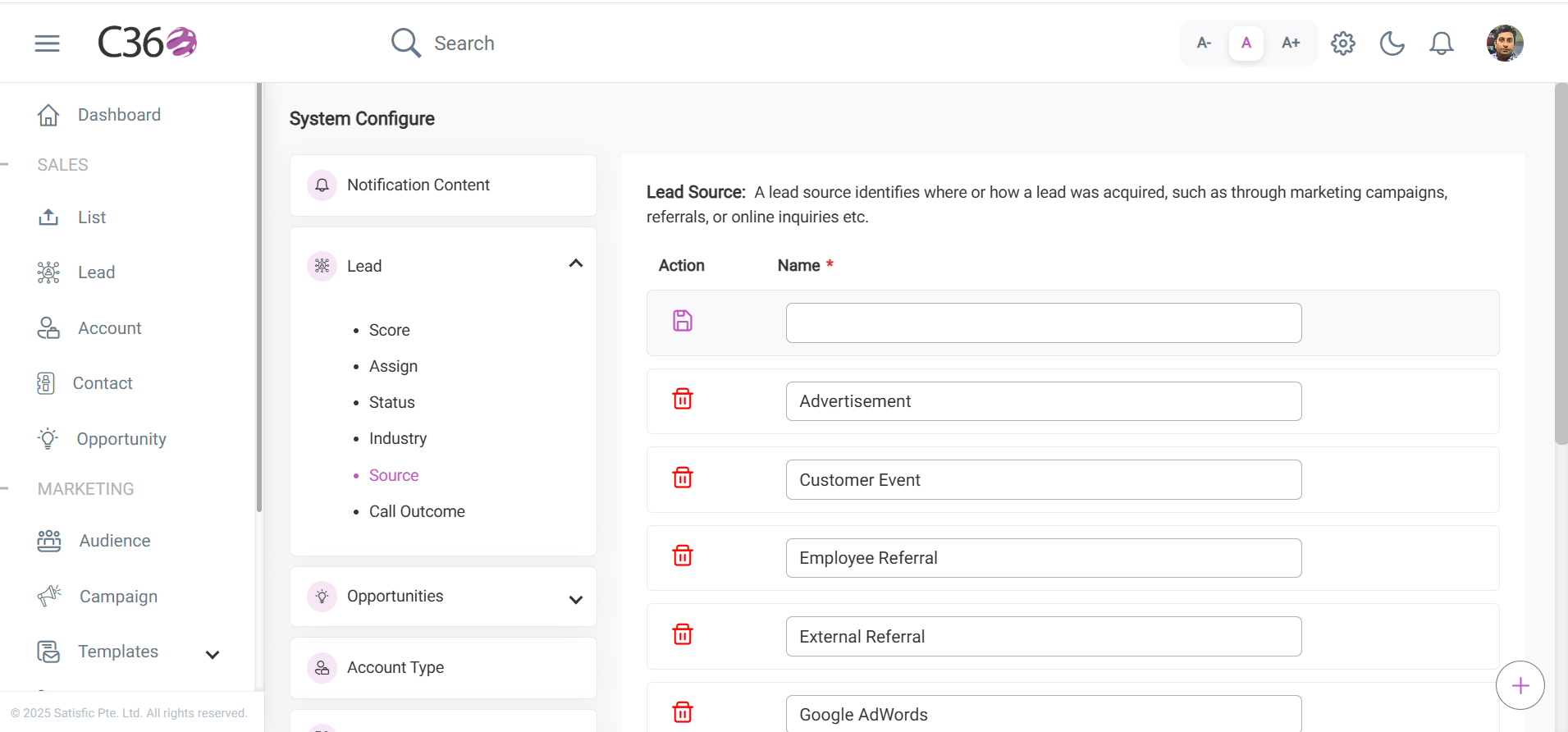
🌐 Lead Source
Identifies how a lead was acquired (e.g., marketing campaign, referral, online inquiry).
Fields:
- Name – Source label
Actions:
- 💾 Save
- 🗑️ Delete
Click Save to store the entry after filling in all details.
Click the Delete icon to remove a saved entry.