📞 Call Manager
- 🕒 Agent Calling Window
- ⏳ Outcome Time
Define specific time windows during which agents are authorized to make calls.
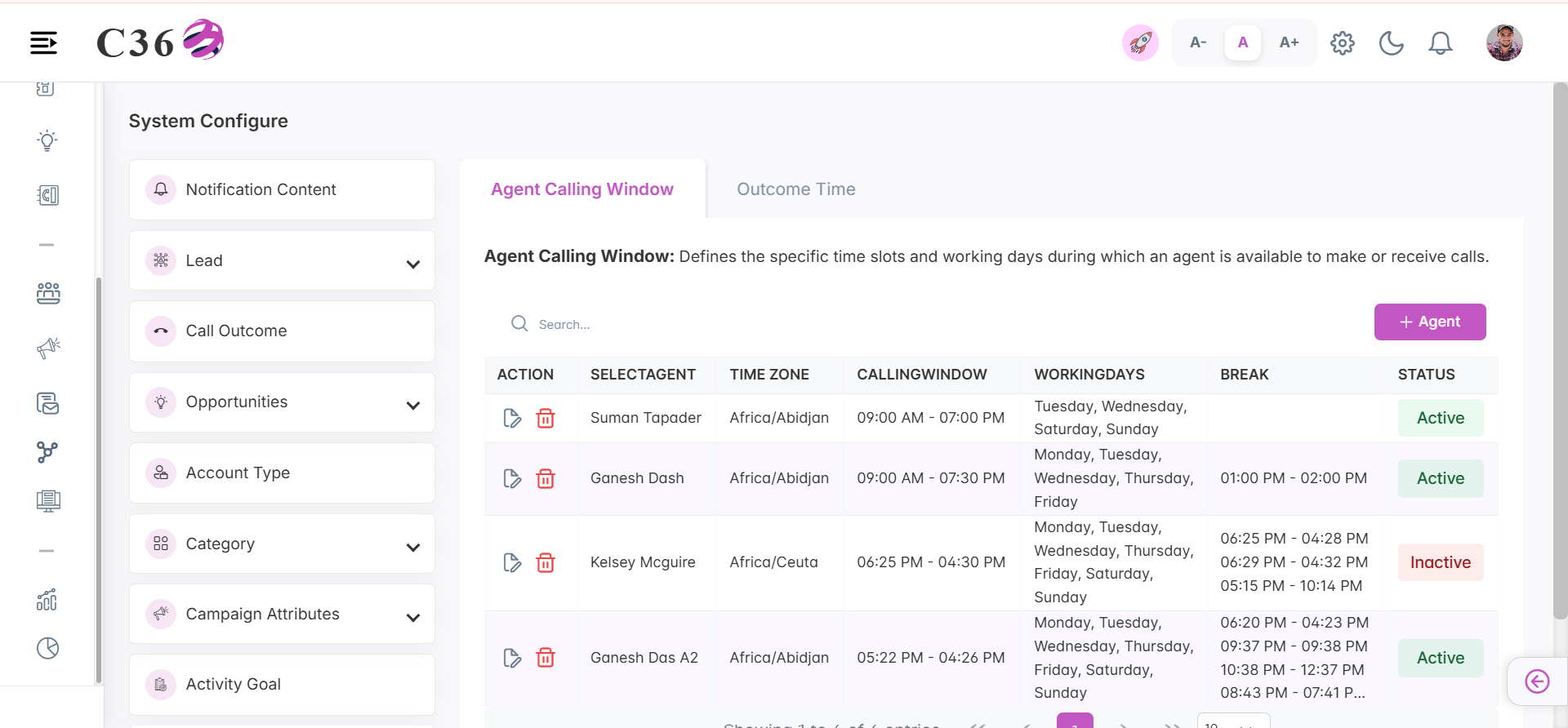
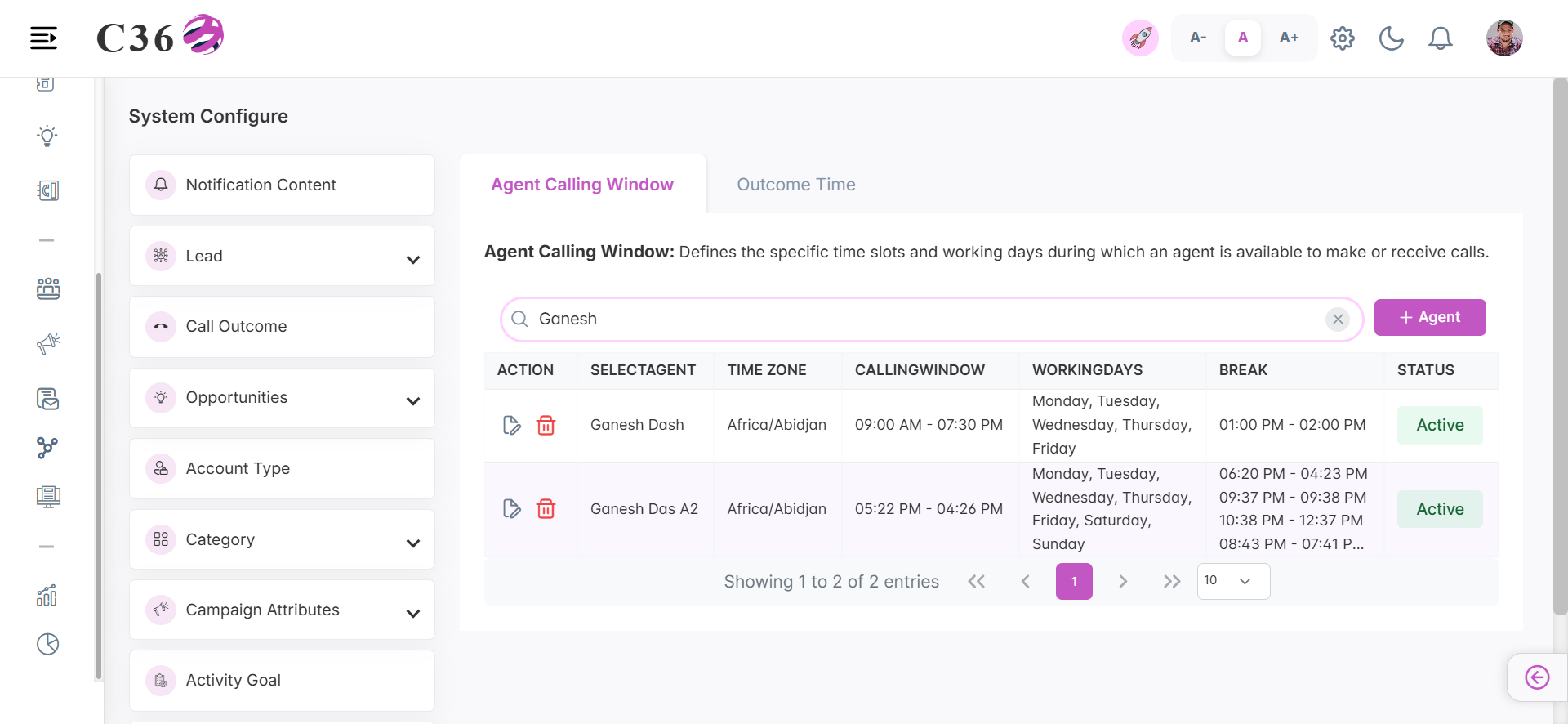
📊 Agent Calling Window List Overview.
Click to view Columns Include
- Action → Quick edit and delete functionality. - Agent Name → Full Name of the agent. - Time Zone → The local time setting for a specific geographic region. - Calling Window → The permitted time range during which calls can be made to contacts or leads. - Working Days → The designated days when business operations or activities are performed. - Break → A scheduled pause or rest period during working hours. - Status → Active/Inactive.
⚡ Actions
- ➕ Add Agent
- 📝 Edit Agent
- 🗑️ Delete
- 🔍 Search
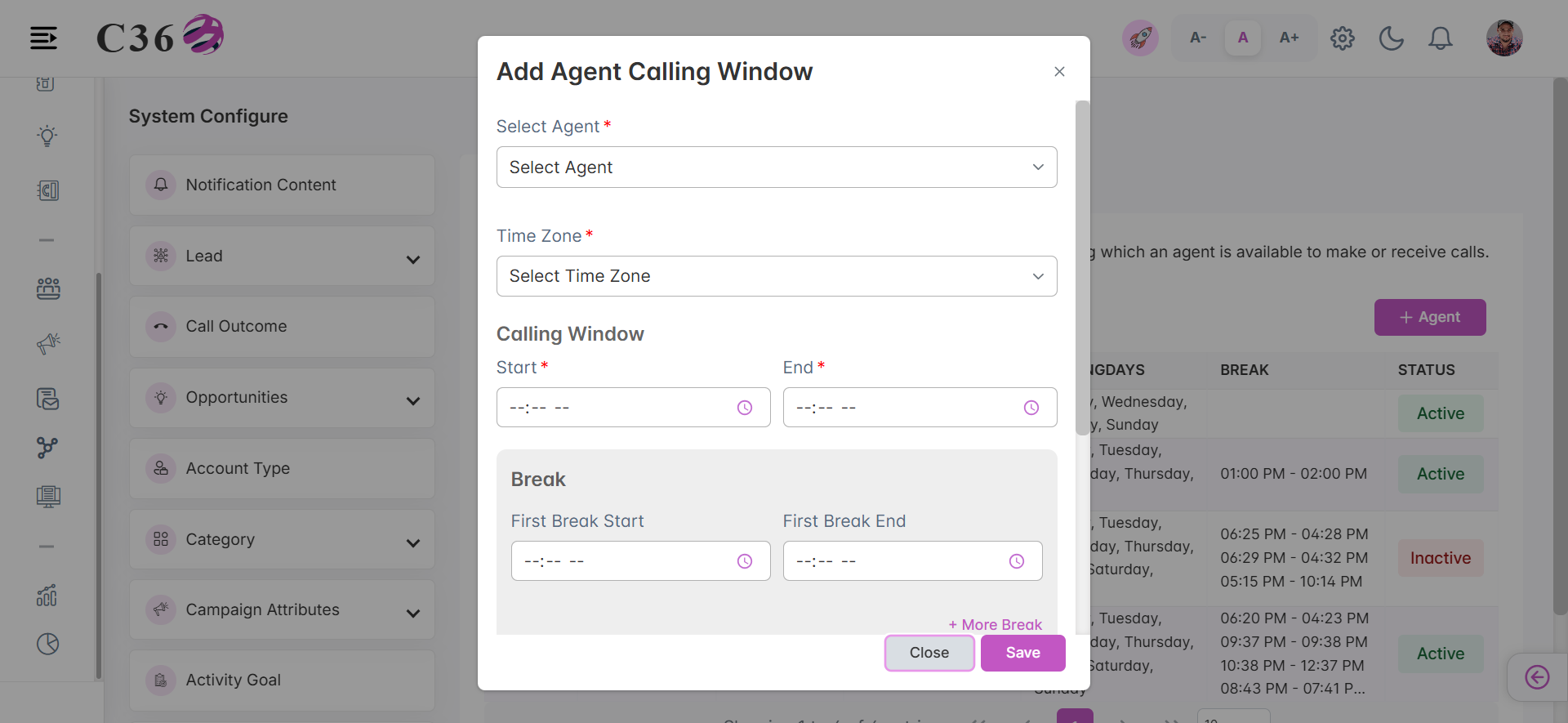
- Click on Add Agent to create an agent call window.
- Fill the required fields.
- Click on Save to save the entry.
info
- Can add up to 10 Breaks.
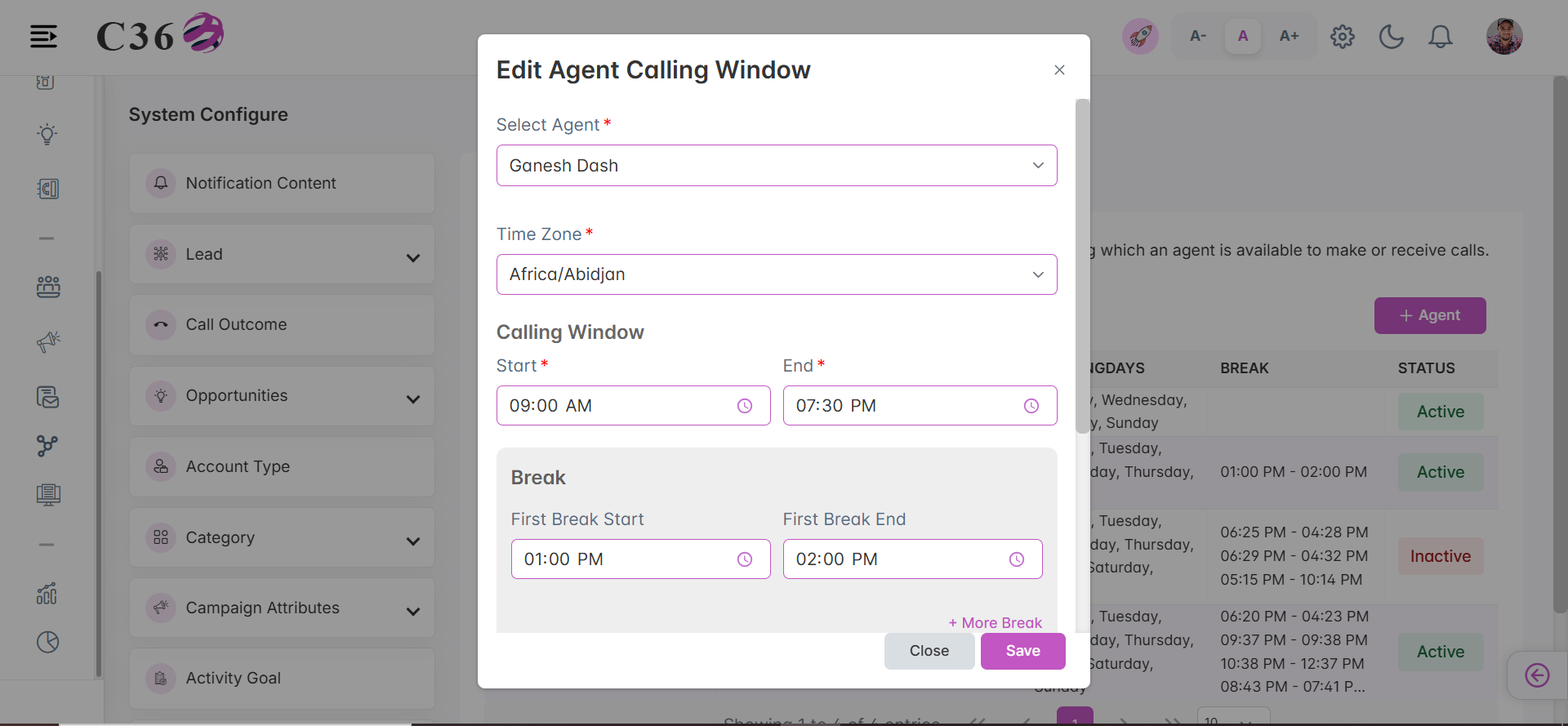
- Click on Edit Agent to update an agent call window.
- Make necessary changes.
- Click on Save to update the agent call window.
info
- Can add up to 10 Breaks.
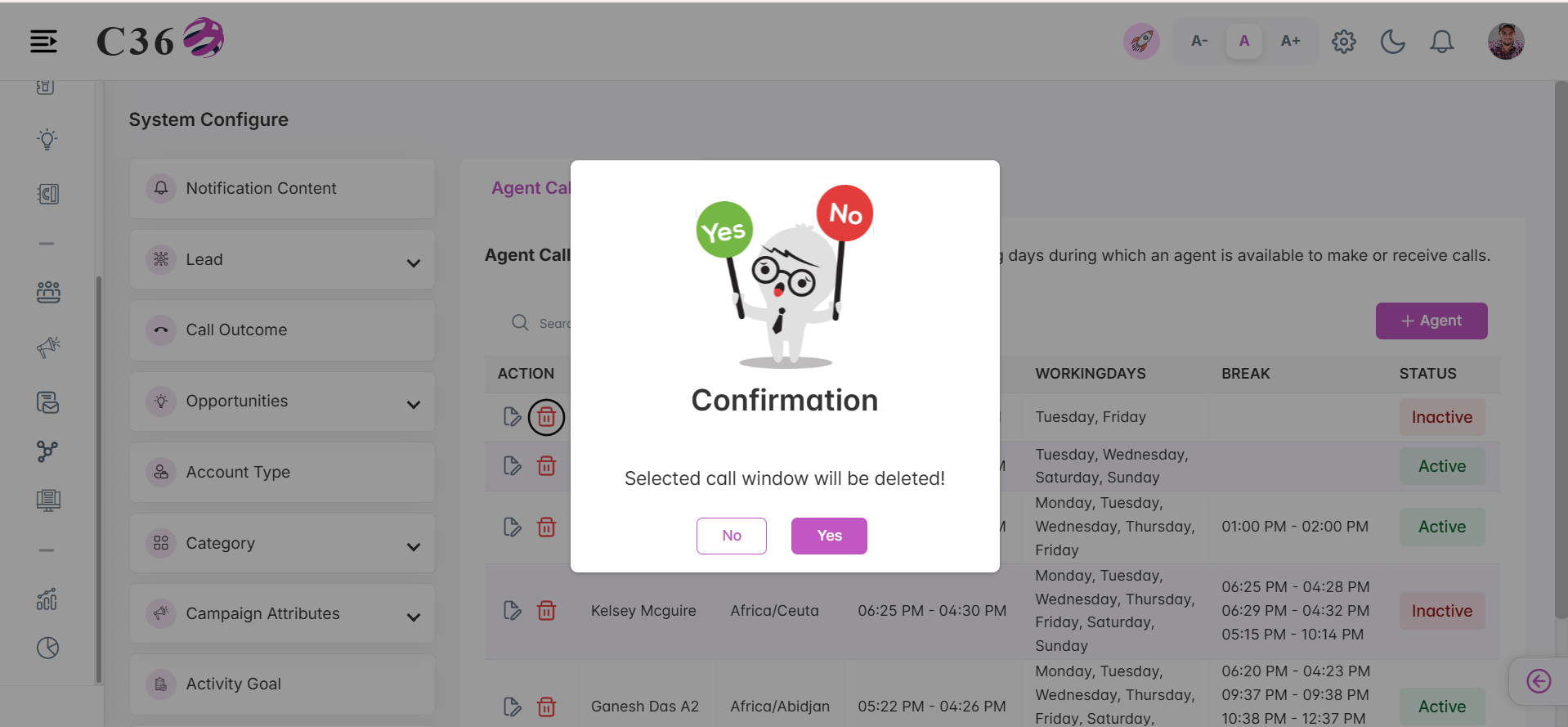
- Click on Delete icon.
- Click on Yes to confirm the delete process.
- Focus on the search field and type the agent name to search.
- Hit enter.
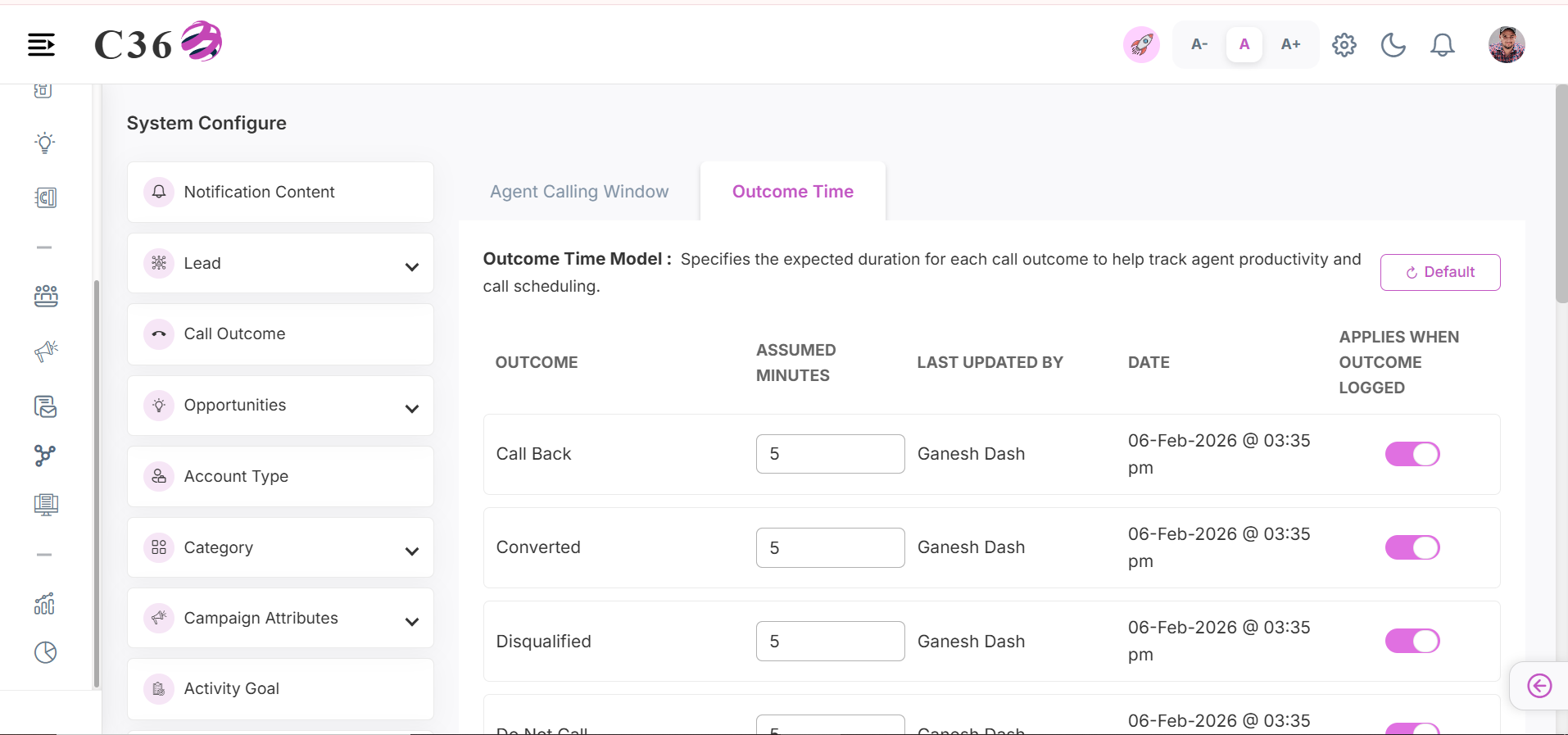
Configure the duration settings relative to call outcomes, such as validity periods or expected handling times.📝 Fields
⚡ Actions
- Reset : Resets to the default position.
- Update : Can update the Assumed Minutes and Applies When Outcome Logged