🚀 Launch Guide
The Launch Guide is a quick gateway to all the important functions C360 has to offer.
It helps users quickly access product information, workflows, and guidance without navigating across multiple screens.
📌 How to Access the Launch Guide
To open the Launch Guide, follow these steps:
- Go to the Homepage Dashboard.
- Click on the Launch Guide button.
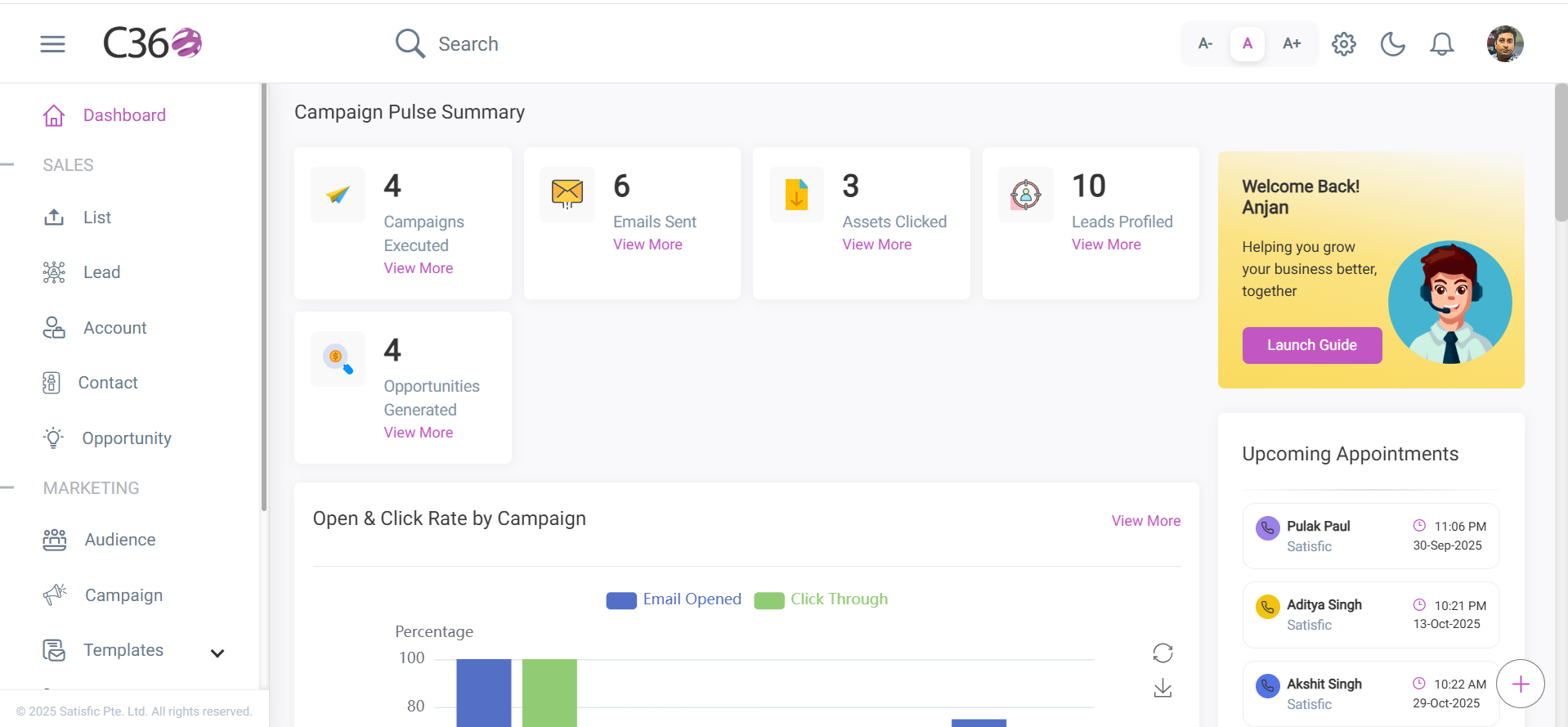
🖼️ Launch Guide Popup
Once you click the button, a popup will appear:
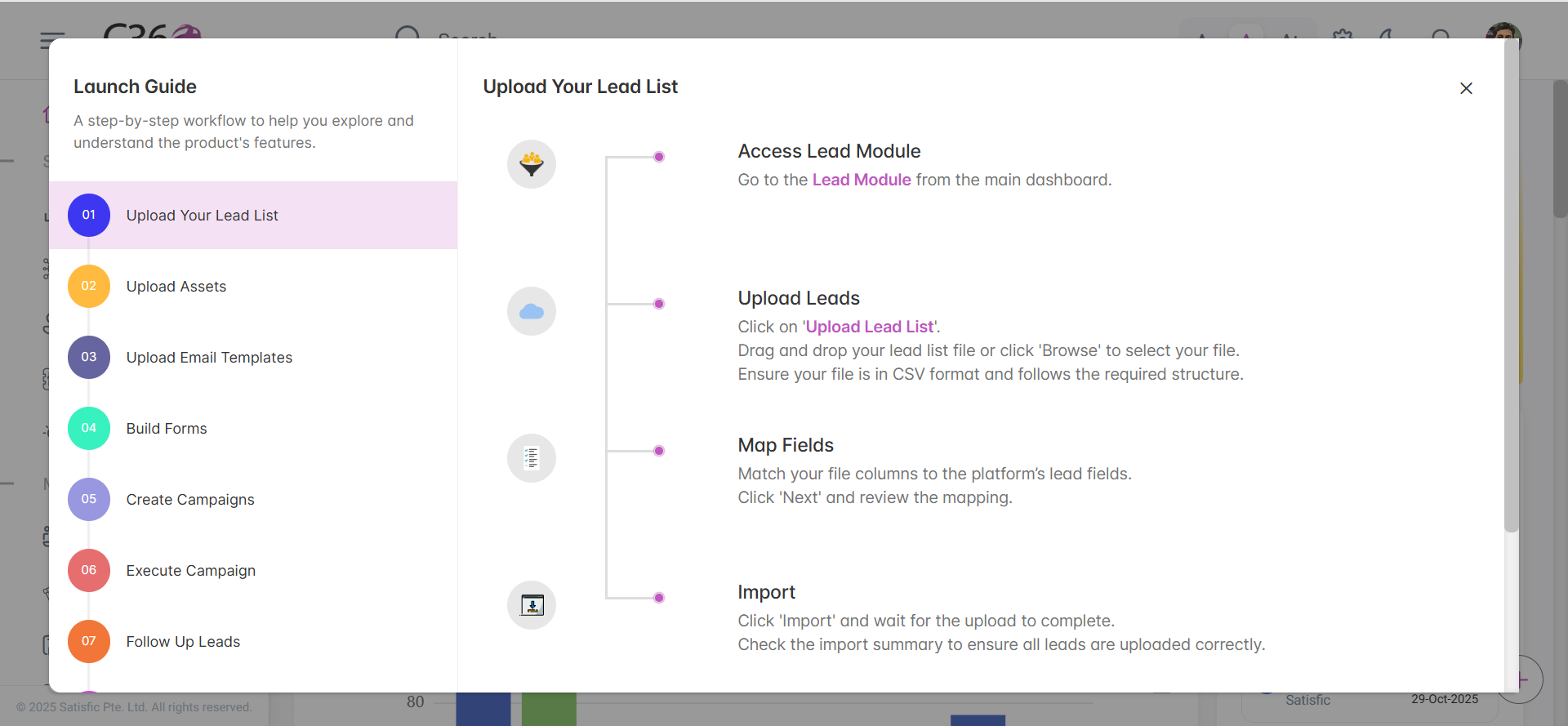
✨ Features of the Launch Guide
The Launch Guide is divided into two main sections for ease of navigation.
Left Tab – Product Features
Displays all major features available in C360.
-
Right Tab – Workflow Guidance
Shows respective workflow features along with step-by-step guidance. -
Interactive Links
You can click the links in the description to directly navigate to the respective section. -
Easy Close Option
Simply click on the Cross (✖) icon at the top-right corner to close the guide anytime.
✅ Why Use the Launch Guide?
- Speeds up navigation.
- Provides quick access to essential product workflows.
- Helps new users learn and explore C360 features effortlessly.
- Reduces time spent searching for relevant options.
📍 Example Workflow (Demo)
Here’s a quick demo flow for better understanding:
- Open Launch Guide from dashboard.
- Select “Customer 360” feature in left tab.
- Read the workflow steps on right tab.
- Click on any highlighted link → takes you directly to the related page.
🔖 Summary
The Launch Guide acts as a central navigation hub in C360.
It allows you to explore product features, access workflows, and navigate faster — all from one place.