✅ Tasks Management
The Tasks Management feature in C360 allows you to create, track, and manage all your tasks across Leads, Contacts, and Opportunities — helping you stay organized and never miss an important activity.
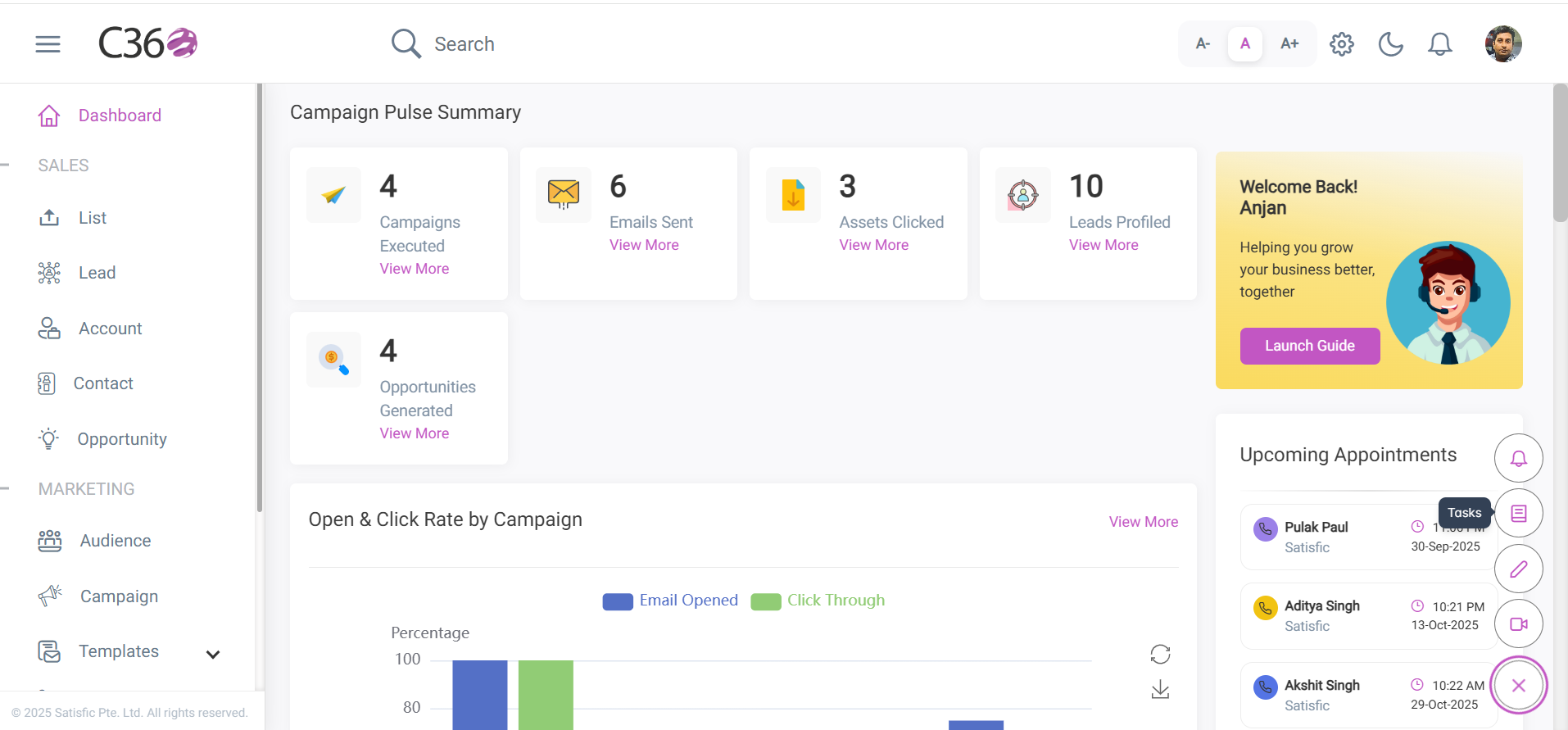
To access Tasks:
Click the Tasks icon in the right-hand menu.
📂 Viewing Tasks
You can find tasks in multiple ways:
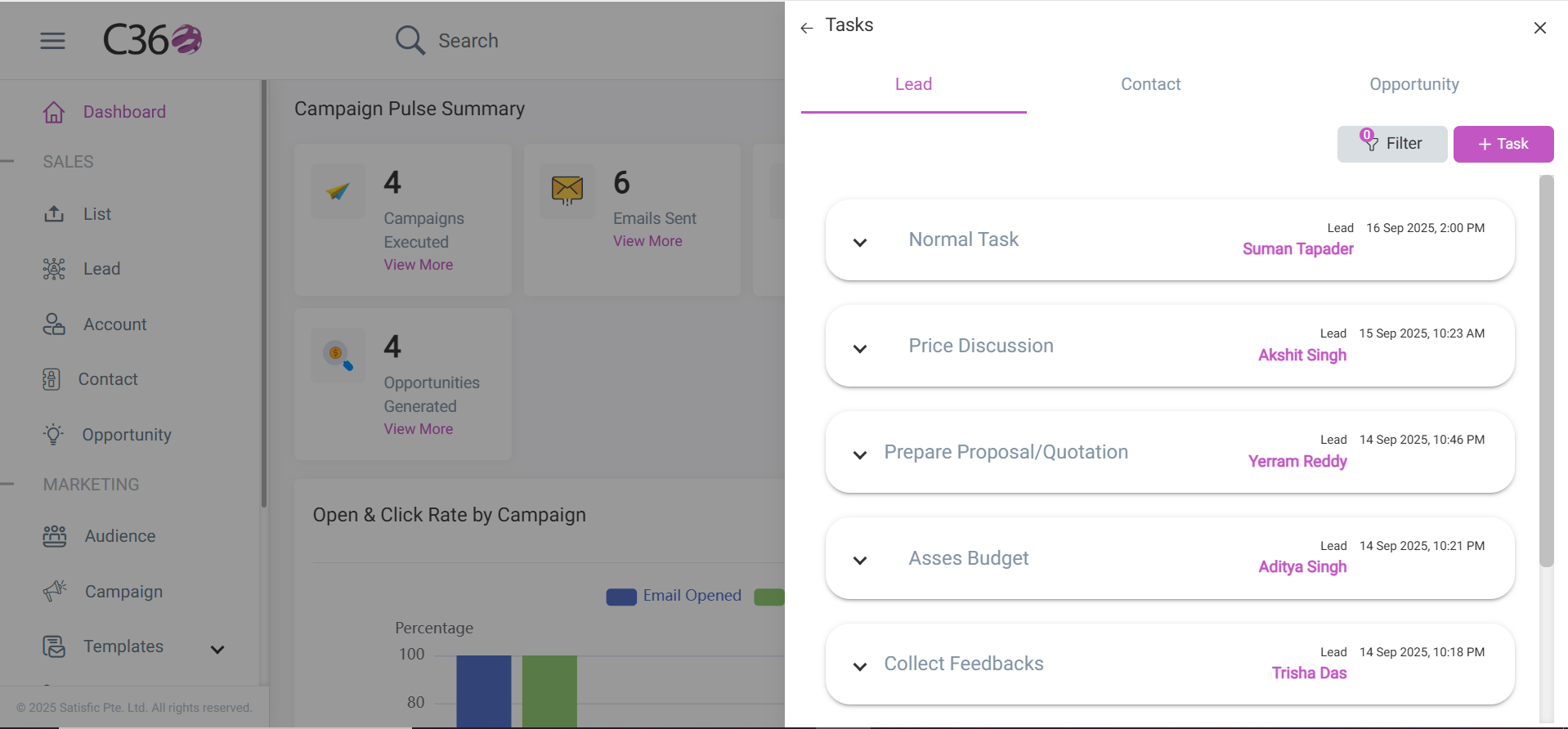
- Accordion View → Under the Lead, Contact, and Opportunity tabs.
- Detail View → On the Lead, Contact, or Opportunity details page, inside the Tasks tab.
- Each task shows:
- Title
- Creation Date
- Related to link (quick navigation to the related record).
Expanding a task displays full details.
- Use the filter option to quickly narrow down tasks.
- Click Add Task to create new tasks.
- Select any task from the list to view its details in the right-hand panel.
🔎 Filtering Tasks
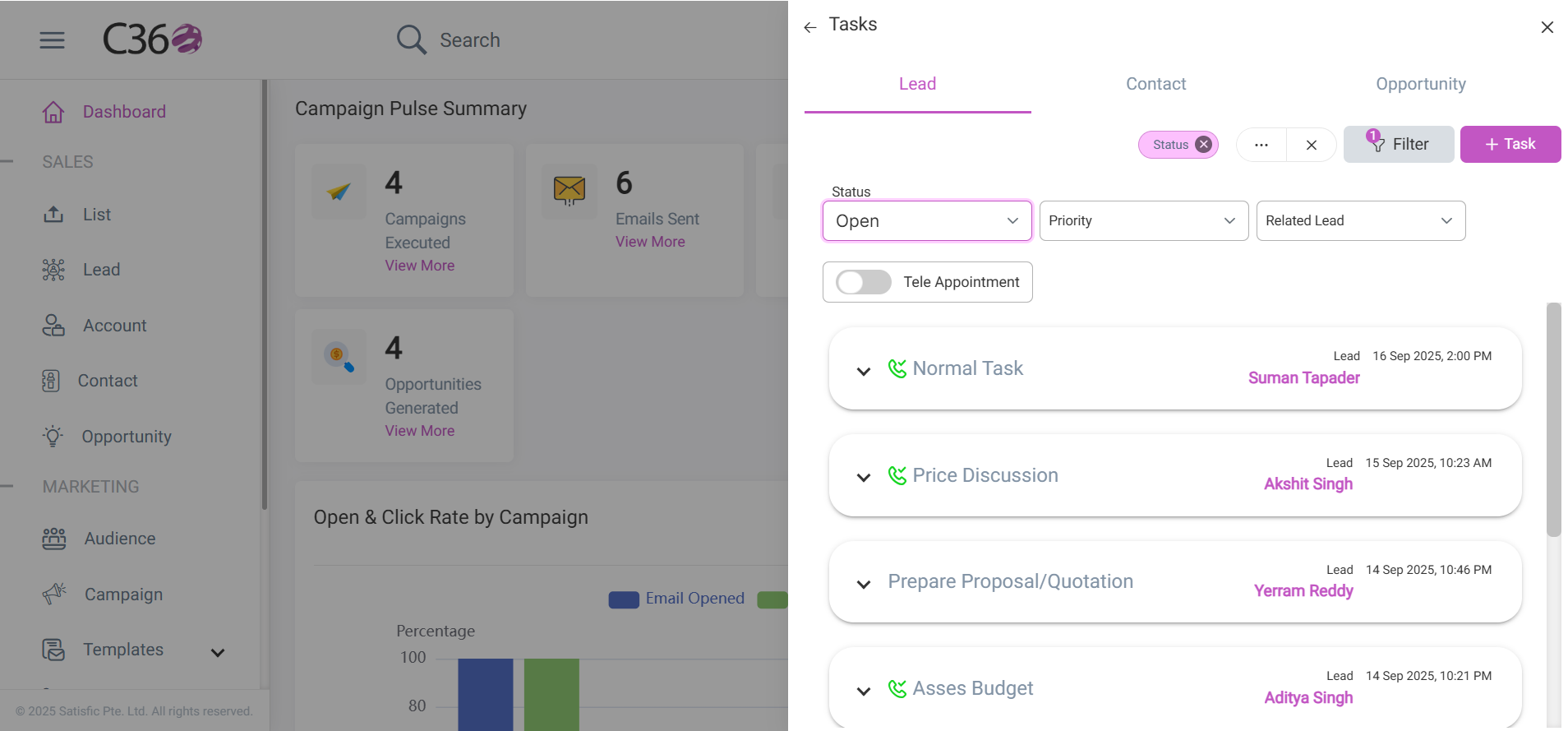
You can refine your task list using filters:
- Related Type → Show tasks linked to Leads, Contacts, or Opportunities.
- Status → Open or Completed tasks.
- Priority → High or Normal.
- Telephone Appointment → Tasks created through phone appointments.
After selecting your filters, click Filter to update the results.
➕ Adding Tasks
You can add tasks directly from the Tasks module or within a record (Lead, Contact, Opportunity).
Method 1 — From the Tasks Module
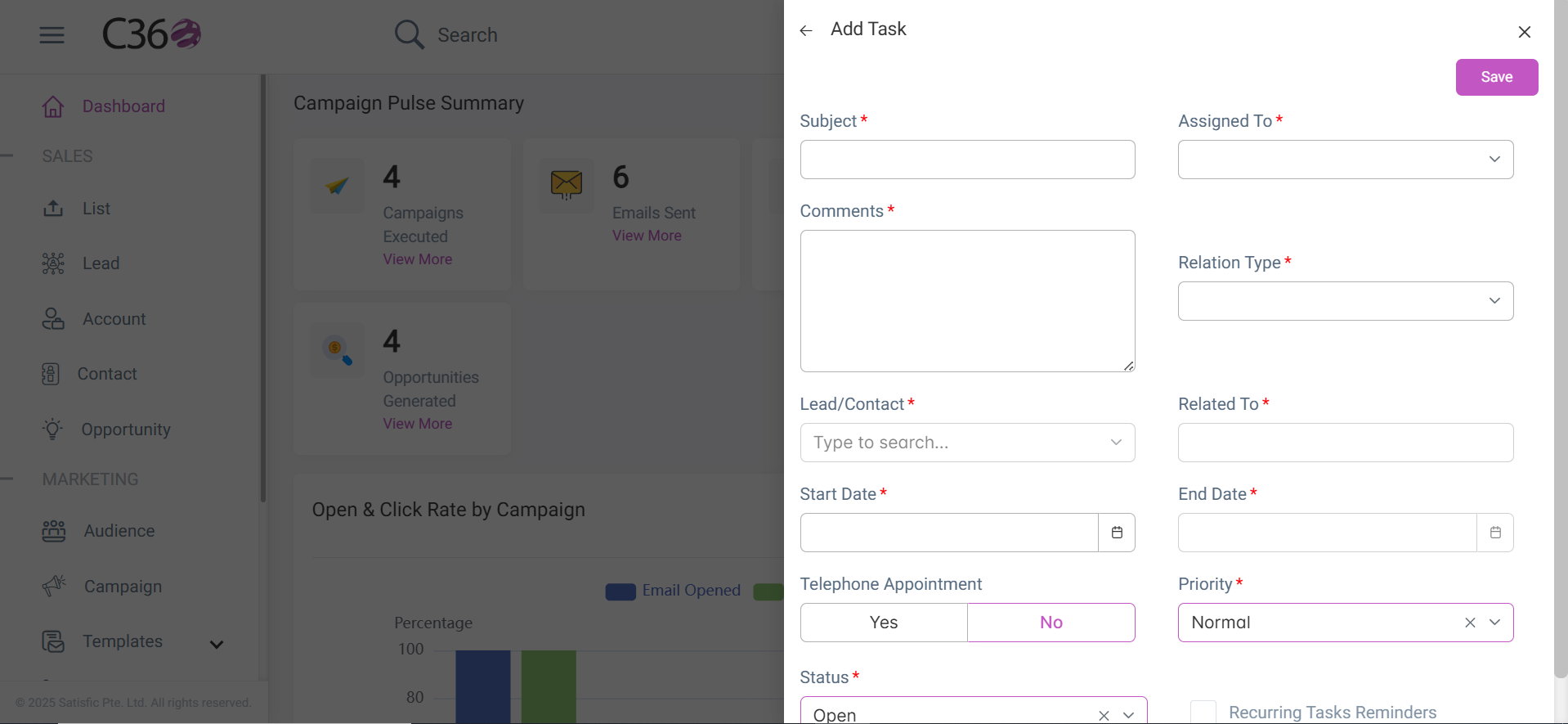
- Click Add Task in the top-right corner.

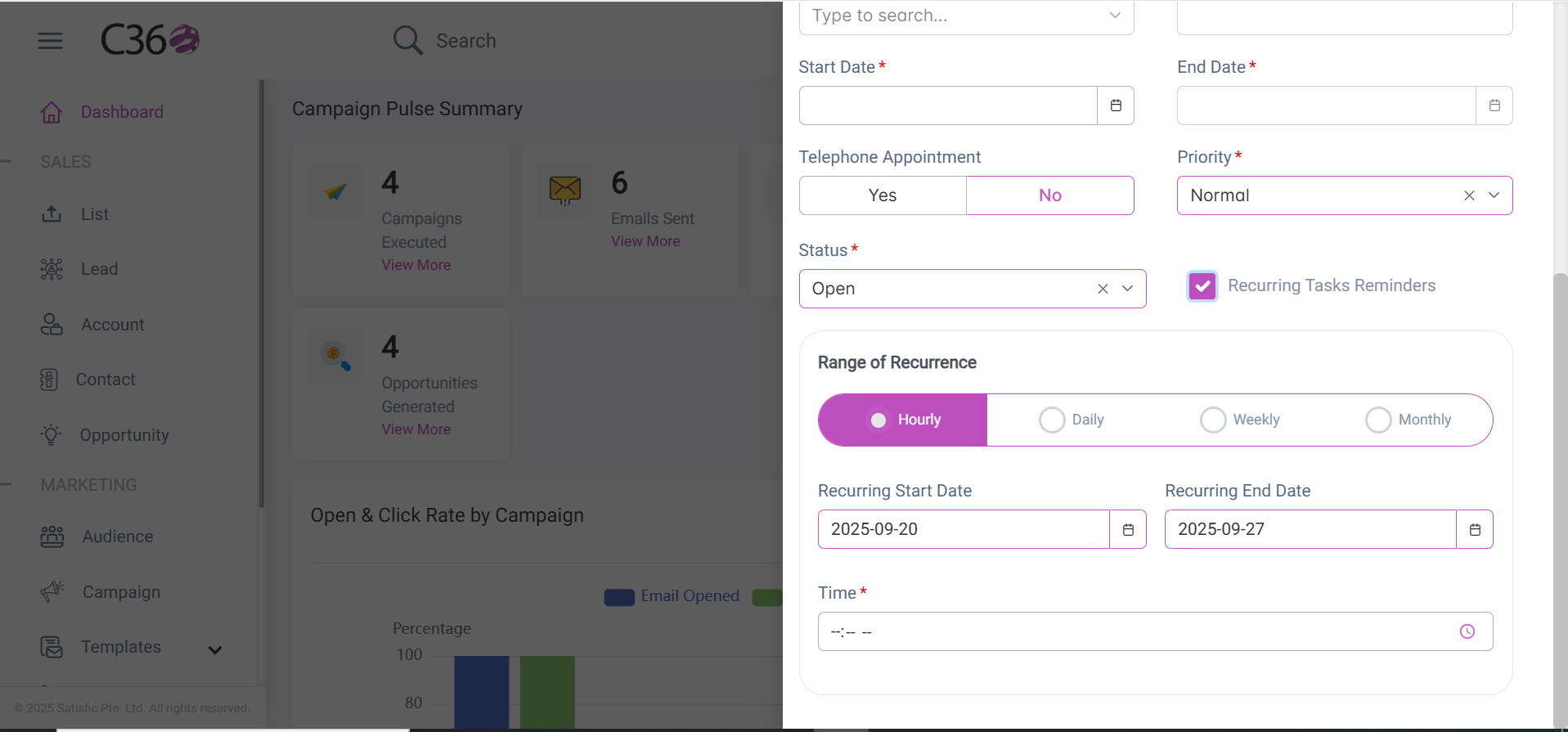
- Fill in the required fields in the task form.
- (Optional) Enable Recurring Task Reminders to receive automatic reminders.
- Click Save. Your new task will appear in the Tasks List.
Method 2 — From a CRM Record
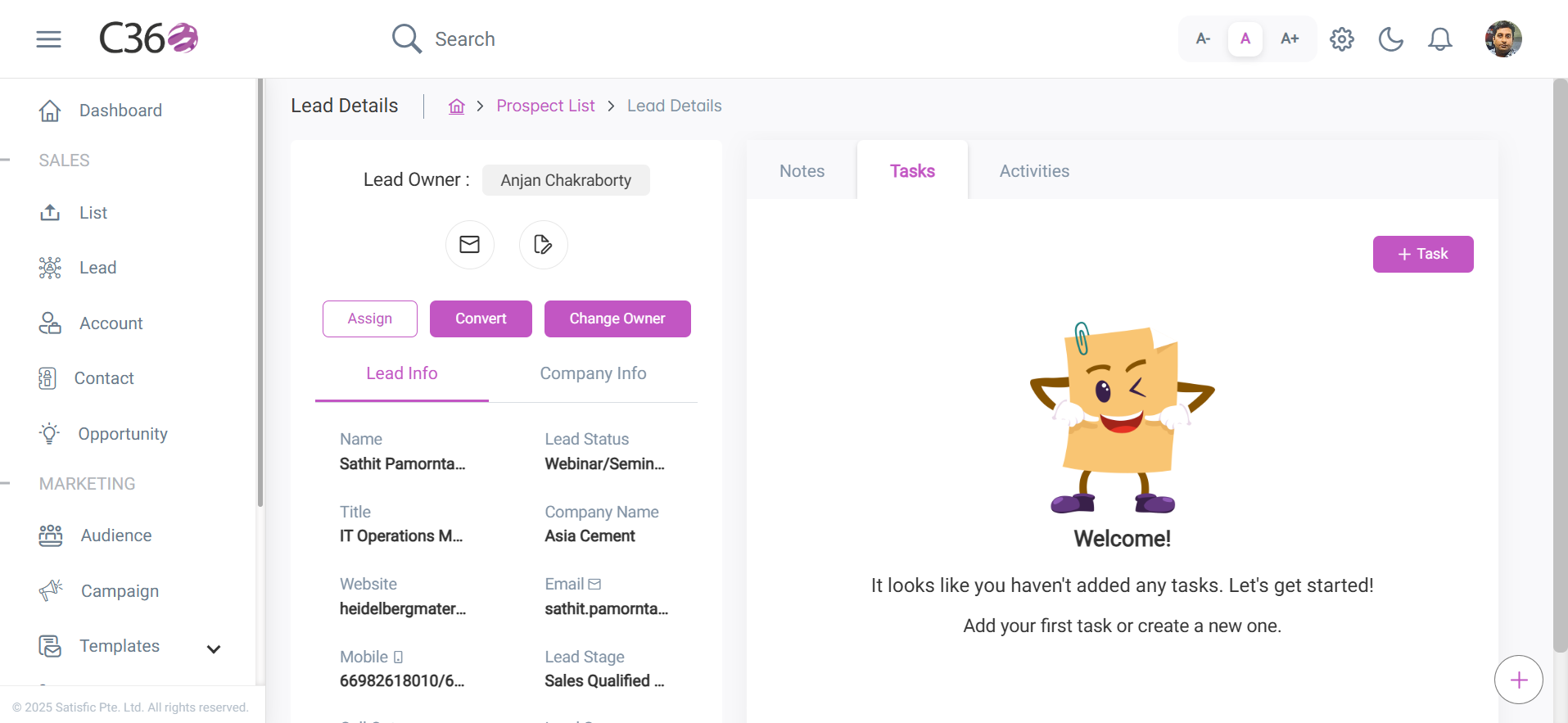
- Navigate to CRM → Lead / Contact / Opportunity.
- Select the desired record.
- In the right-hand panel, click Add Task.
- A pop-up form opens. Enter the required details as before and save.
📅 Viewing Upcoming Tasks
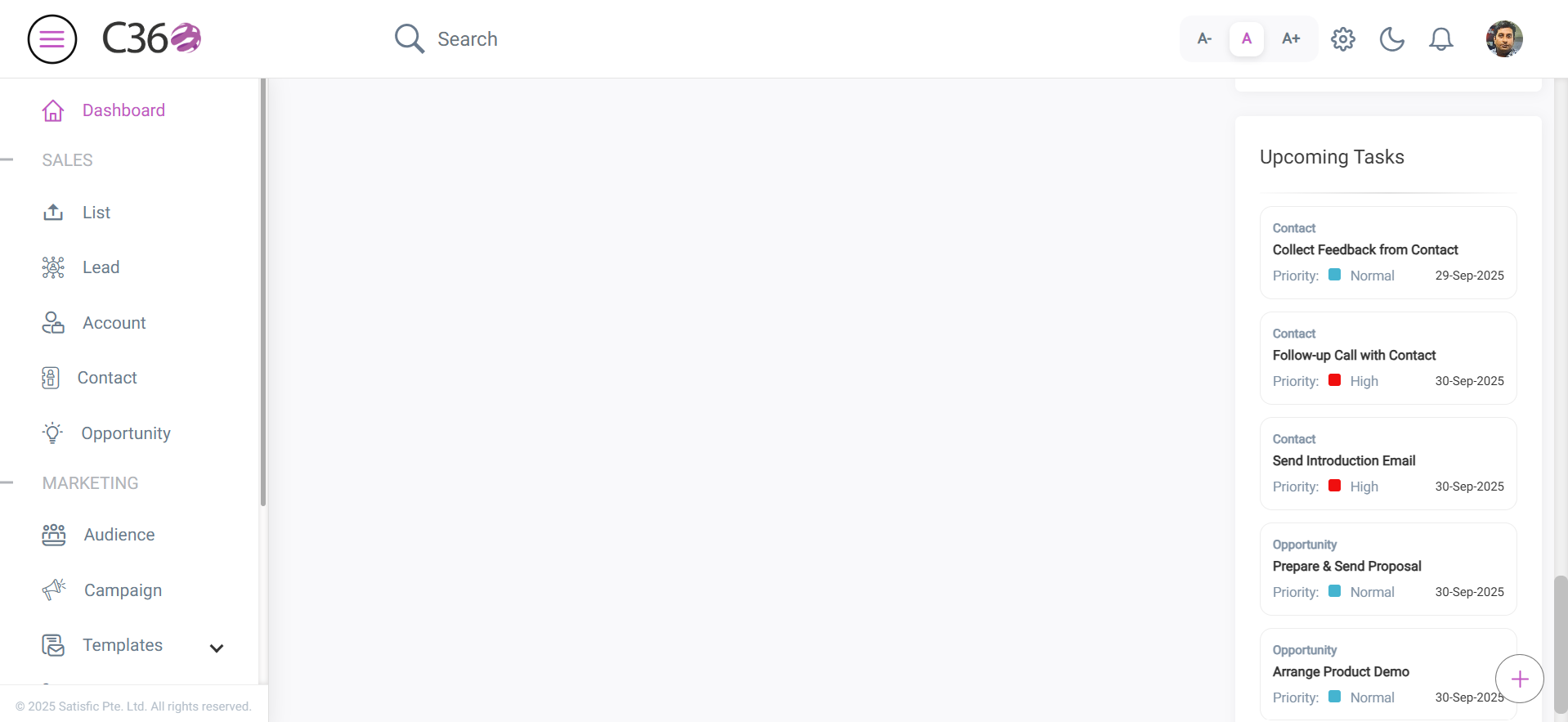
You can also view all your upcoming tasks on the Home Dashboard for quick access.
✅ Key Benefits
- Keep tasks organized and prioritized across all CRM modules.
- Set recurring reminders to stay on track with repetitive activities.
- Improve productivity by tracking upcoming tasks from your dashboard.
- Ensure no important lead, opportunity, or follow-up is missed.